A no-code trading bot in in 5 minutes
Set your rules in the builder. See exactly where they trigger on the chart.
01
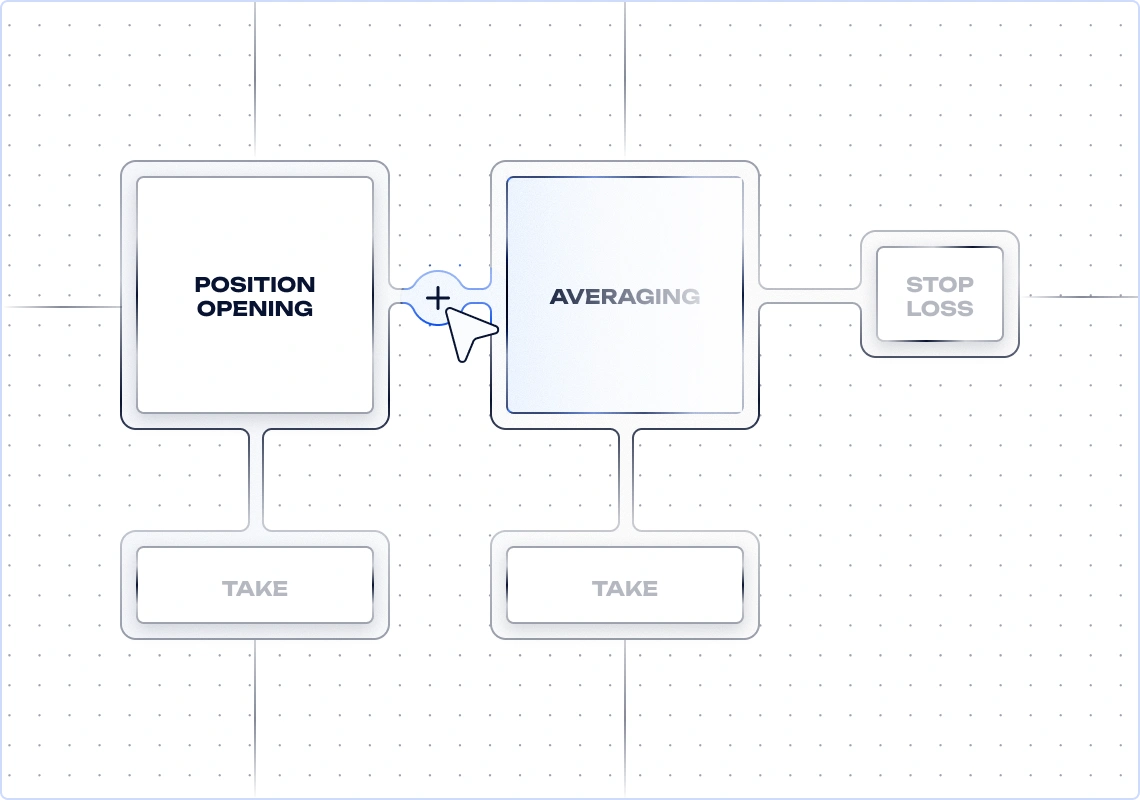
Manage the deal at every stage
02
Set unique action conditions for each stage of the deal
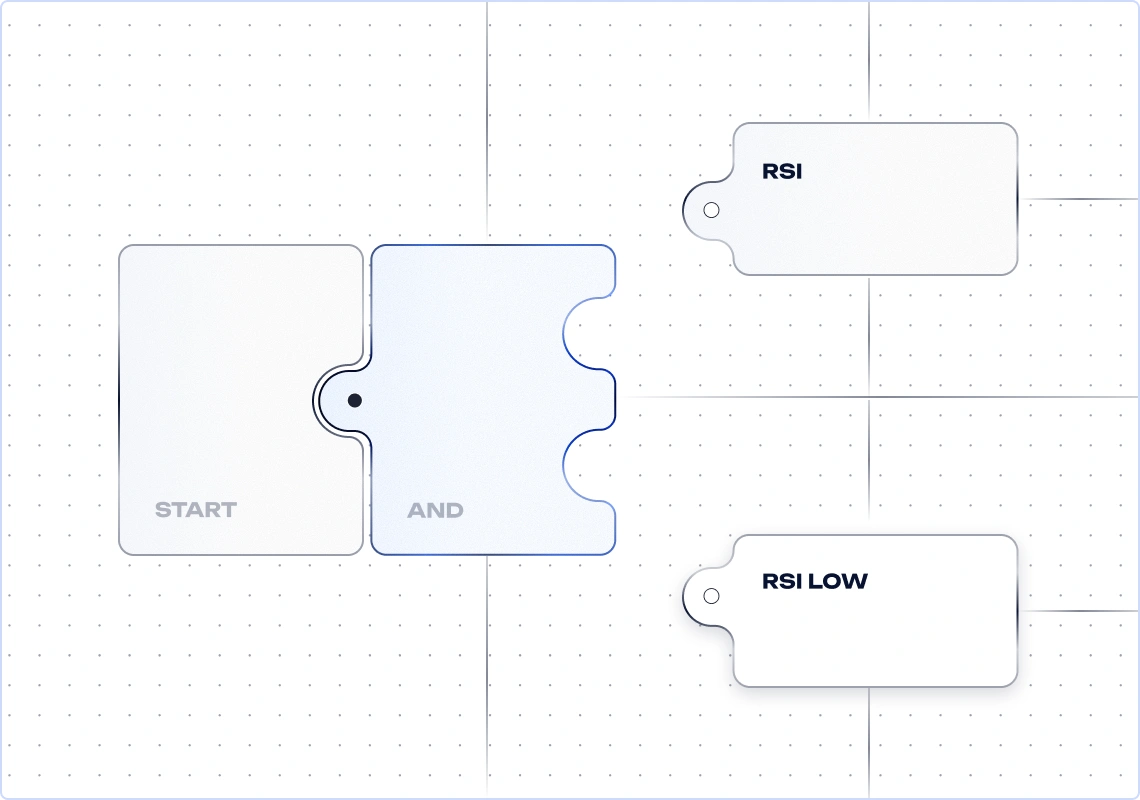
03
See how it works live and make quick edits
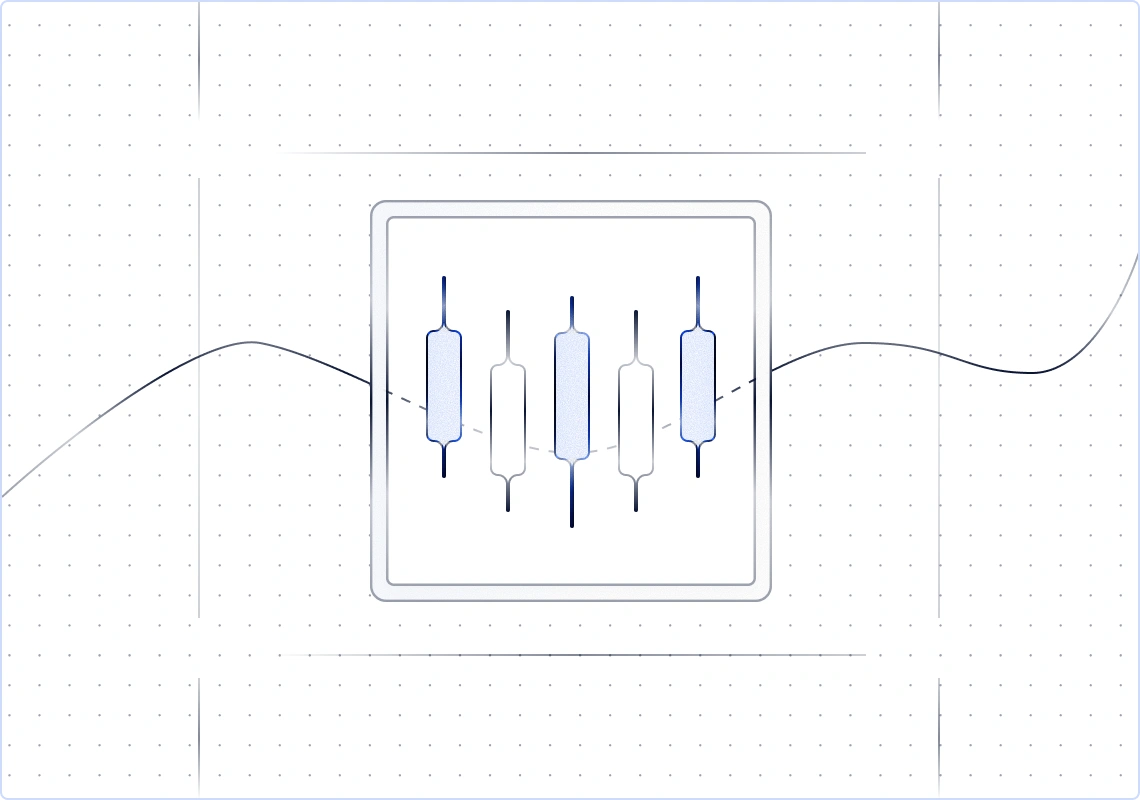
EVERYONE HAS BOTS.
Only Quberas offers clarity
We turn trading bot creation into a visual process, so every condition is clearly shown on the chart.
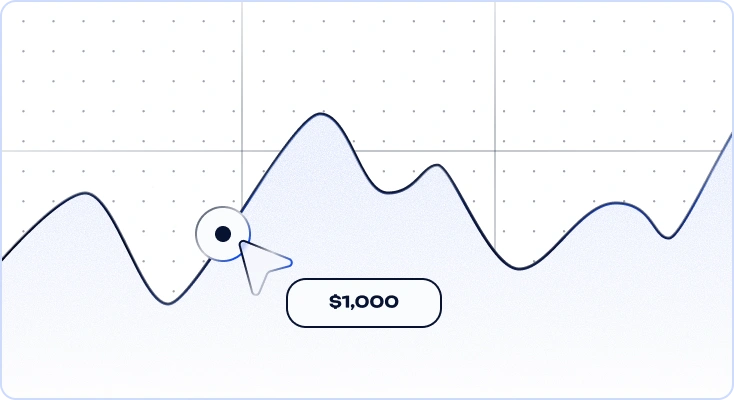
Transparency
See exactly where each condition was
triggered, why the trade was opened, and how it played out. Everything is shown on the chart in a single view.
triggered, why the trade was opened, and how it played out. Everything is shown on the chart in a single view.
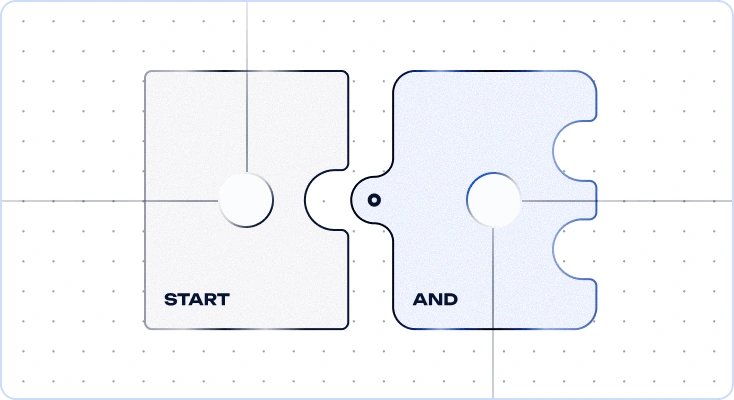
Logic without limits
Assemble conditions like a puzzle: indicators,
price, volume, and how they connect – all
without code or restrictions.
price, volume, and how they connect – all
without code or restrictions.
Reliability
Secure keys, parameter checks, and
automatic recovery. Your bot keeps running
smoothly even during outages.
automatic recovery. Your bot keeps running
smoothly even during outages.
EVERYTHING YOU NEED TO MANAGE YOUR
STRATEGY — all in one interface
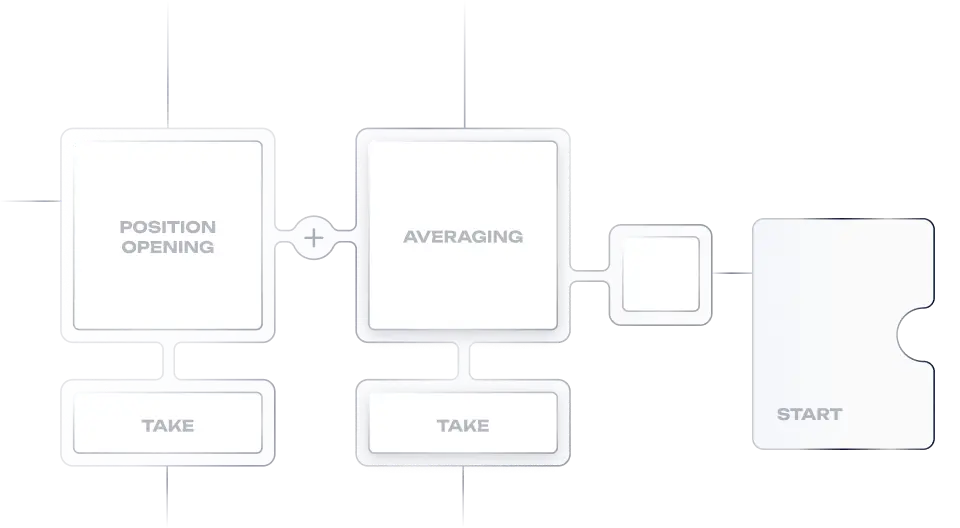
Deal map
The entire trade on one map. You manage the stages,
not a maze of settings.
not a maze of settings.
Set the entry, add averaging orders when needed, define the exit and stop-loss. Everything is visual, with clear connections and full control over the logic.
See the entire trade flow at a glance
Entry, averaging orders, exit, and stop-loss on a single map. See how the stages connect - when averaging turns on and what stopped the trade. Nothing is hidden in settings.
The structure stays clear at any level of complexity.
Add or remove averaging orders, and the map stays easy to read. Even multi-step logic remains transparent.
Know what the bot will do before launch.
The strategy reads like an action map. One look at the flow replaces
checking dozens of parameters and helps prevent mistakes.
checking dozens of parameters and helps prevent mistakes.
Control risk at the scenario level.
Risk is managed directly within the trade map.
Create strategy variations quickly.
Each stage is independent. Change only the stage you need – exit, averaging orders, or stop-loss. The rest of the logic stays untouched.
Puzzle builder
Combine trading conditions any way you need - no code, no rigid templates.
Combine price, indicators, crossovers, local highs and lows, rate of change, volume, and nested conditions. Complex logic becomes a clear visual structure - not a hidden list of parameters.
Conditions of any complexity
Build simple rules or nested logic such as A AND (B OR C) OR D.
Precise indicator signals
Use extremes, momentum shifts, and relationships between metrics as entry or exit conditions.
Volume signals and market reaction
Use volume, confirmations, and behavior in related assets to filter weak signals.
Flexible strategy logic
Create different rule sets for trends, ranges, breakouts, and pullbacks.
Fast creation of new strategies
Save condition blocks and reuse them across strategies without rebuilding from scratch.
Visual debugger
See why a trade triggered and fine-tune your strategy in seconds
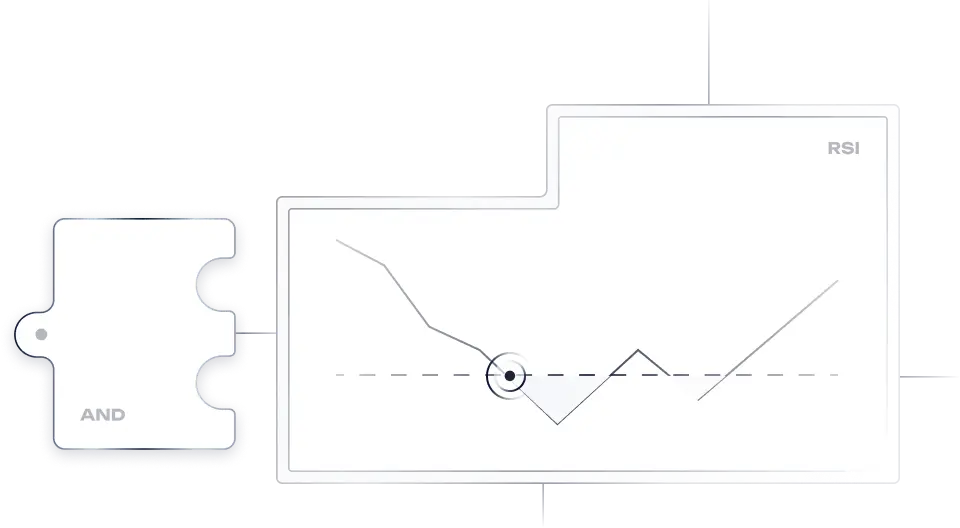
The debugger highlights the exact chart zones tied to each condition. See precisely why a trade opened and refine your strategy faster, with no guesswork.
Every condition is visible on the chart
No guesswork – you can see exactly where and when each condition was met.
False signals and rule conflicts are easy to spot
See where a condition reacts to noise or where one rule blocks another. Find the issue on the chart and fix it precisely.
See exactly what is blocking the entry
Identify which condition is keeping the trade from opening, and in which market zone, without endlessly tweaking parameters. Find the bottleneck in seconds.
The line between 'almost' and 'triggered'
See how close a condition came to triggering and fine-tune thresholds with confidence.
Debug like an engineer
One quick look at the highlighted zones can save dozens of wasted backtests. Instead of endless trial and error, you can see, understand, and fix.
Backtests
Test the strategy on historical data before it goes live in the real market.
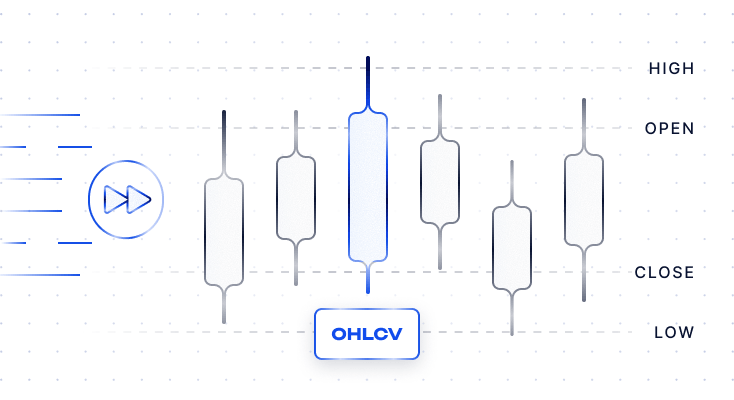
Fast testing
OHLCV
Open, high, low, close and volume. Historical data for backtesting strategies


Run backtests on candlestick data and get results in minutes.
Best for most strategies: validate ideas, spot
weak points, and compare variations.
weak points, and compare variations.
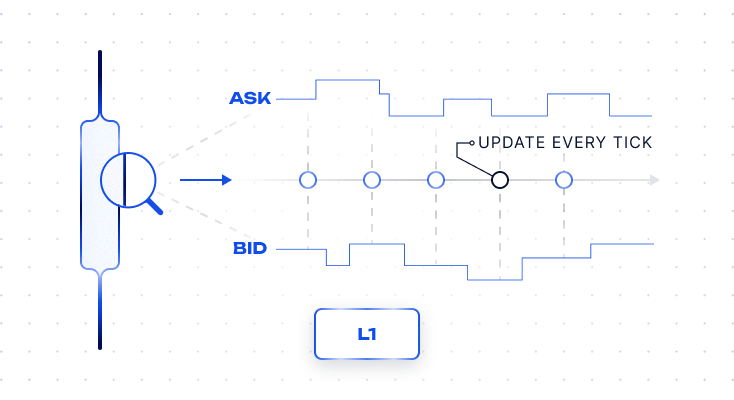
Accurate testing
L1
Basic market data: best bid, best ask and last price
Backtest with real bid and ask prices at every moment.
Use it when you need to understand exactly how each order would be executed.
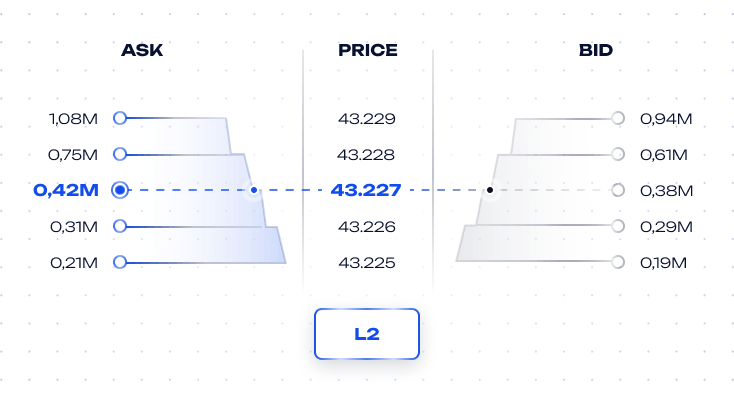
Maximum precision
L2*
Extended market data with order book depth and orders at different price levels
Use full order book depth. Results stay as close as possible to real trading conditions.
For strategies where execution accuracy is critical and every percent matters.
How Quberas works
From idea to live trading — in 5 minutes
How Quberas works
From idea to live trading — in 5 minutes
SECURITY AND TRADING RESILIENCE
Secure access, protected exchange connectivity, and resilient trading during outages.
Quberas covers the full stack by design.
Quberas covers the full stack by design.

Secure key storage
API keys are encrypted and isolated in HashiCorp Vault. Withdrawal access is blocked by design.

Outage recovery
The bot recovers after disruptions. If the exchange or connection goes down, it rechecks the position when connectivity returns and continues from the correct point.

Two-factor authentication
Account access and critical actions are protected with 2FA. Even if a password is compromised, it is not enough to make critical
changes.
changes.
Coming soon
Loss limit per period
The bot stops automatically when the loss for
the selected period exceeds your limit.
the selected period exceeds your limit.
Coming soon
Cooldown after stop-loss
A pause before re-entry, so the bot does not
jump back into an unstable market.
jump back into an unstable market.
Strategy marketplace*
Ready-made strategies for traders who want to get started fast. Monetization tools for traders who know how to build them.
Use ready-made strategies*
Choose a strategy, set the risk parameters to fit your style, and launch it. There is no need to build the logic from scratch – you start with a working foundation and adapt it to your trading approach.
Ready-made strategies from other traders
Clear parameters and trading rules
Fast launch in your account
Ability to test before using
Publish and earn money*
If a strategy delivers results, you can publish it and get paid when others use it. Offer it publicly, or share private access by link and whitelist.
Sell access to your strategies
Receive recurring payouts
Private strategies by link
Access control and user limits
Price
All plans include a puzzle builder, drafts strategy, a visual debugger, a backtest history, and strategies from the marketplace*
Save 10% with annual billingOne payment for the year instead of twelve
Base
Quiet strategies, one trading pair, fast iterations.
$19$17/month/month, $205 billed annually
- 3 bots, 1 trading pair each
- 5-minute minimum timeframe
- OHLCV backtests up to 3 months
- 200 OHLCV / month
Popular
Advanced
Active trading, 1-minute logic, cross-conditions, marketplace as an author.
$39$35/month/month, $421 billed annually
- 10 bots, 2 pairs each
- 1-minute minimum timeframe
- OHLCV + L1 backtests up to 6 months
- Cross conditions for another asset
- Publication of strategies soon
Enterprise
Professional trading and monetization: more pairs, more control, lower fees.
$79$71/month/month, $853 billed annually
- 15 bots, 5 pairs each
- 1-minute minimum timeframe
- OHLCV + L1 + L2 backtests up to 2 years soon
- Private links, waiting list and seat limit
- 15% platform commission
Free
Testnet only$0/month
- 1 bot
- Testnet trading only, no live orders
- 15-minute minimum timeframe
- Everything else as in Base
Key differences
Key differences
Base
Advanced
Enterprise
BotsOpen and close deals according to specified rules
Open and close deals according to specified rules3
10
15
Trading pairs in one botHow many pairs can one bot trade at a time
How many pairs can one bot trade at a time1
2
5
Minimum timeframeThe smallest data interval available for analysis and testing
The smallest data interval available for analysis and testing5 minutes
1 minute
1 minute
Backtest dataA way to test how the strategy works on historical data
A way to test how the strategy works on historical dataOHLCV
OHLCV + L1
OHLCV + L1 + L2 soon
Maximum backtest lengthThe longest historical period available for strategy testing
The longest historical period available for strategy testing3 months
6 months
2 years
Cross conditions for another assetUsing data from one asset to make trading decisions on another
Using data from one asset to make trading decisions on another—
Platform commission on published strategies*Commission from selling strategies on the marketplace. Only available on Advanced and Enterprise
Commission from selling strategies on the marketplace. Only available on Advanced and Enterprise—
30%
15%
FAQ
Do you guarantee profits?
No. Quberas does not sell "guaranteed returns." The platform gives traders a different kind of tool: a way to formalize a trading idea, test it on historical data, eliminate impulsive decision-making, and run a strategy according to predefined rules. Results depend on market conditions, strategy logic, fees, liquidity, volatility, and risk management. Quberas helps you make decisions more systematically, but it does not eliminate market risk.
Do you hold my funds or have access to withdrawals?
No. We do not accept deposits, hold your funds, or have the ability to move assets to external or internal
addresses. Your funds remain in your exchange account, which Quberas connects to through the exchange
API. The API only allows the platform to retrieve the data it needs and send trading commands; it does not
give us access to your funds. In addition, we do not allow API keys with withdrawal permissions to be used
or stored in the system.
addresses. Your funds remain in your exchange account, which Quberas connects to through the exchange
API. The API only allows the platform to retrieve the data it needs and send trading commands; it does not
give us access to your funds. In addition, we do not allow API keys with withdrawal permissions to be used
or stored in the system.
What permissions should the API key have? Why can't withdrawals be enabled?
Quberas only requires read and trade permissions. Read access allows the platform to see the data needed
for the strategy to work: balances, open positions, order history, and market data. Trade access allows the
bot to place and cancel orders according to its logic. Withdrawal permission must not be enabled - any key with withdrawal rights will be rejected when you try to save it.
for the strategy to work: balances, open positions, order history, and market data. Trade access allows the
bot to place and cancel orders according to its logic. Withdrawal permission must not be enabled - any key with withdrawal rights will be rejected when you try to save it.
How are API keys and account protected?
Security is layered. The core principle is that an API key must not have withdrawal permissions. We also recommend creating a dedicated API key for Quberas, not reusing the same key across services, enabling two-factor authentication on the exchange, and restricting the API key by IP address if the exchange supports it. The keys themselves are stored on our side in a protected secrets vault (HashiCorp Vault).
What happens if the exchange, internet, or API goes down while a position is open?
If the connection to the exchange is temporarily unavailable, Quberas cannot send new commands, update orders, or close the position until connectivity is restored. Orders that were already placed on the exchange continue to exist according to that exchange's rules. That is why higher-risk strategies should use protective logic in advance: position-size limits, stop conditions, limits on the number of trades, and outage alerts. These events are not fully controlled by Quberas, so every strategy should account for external infrastructure risk.
What notifications are available during live trading?
Quberas alerts you about events that matter for strategy control. Key notifications include: bot start and stop, position opened, position closed, order placed, order filled, order canceled, exchange error, connection loss, risk limit exceeded, stop condition triggered, and trading scenario completed. Notifications are designed to show what the bot did, why it happened, and whether your attention is required.
Does the backtest use the same logic as the live trading bot?
Yes. The core strategy logic should be the same. A backtest checks a trading strategy on historical market data. If the strategy includes entry, exit, averaging, stop, take-profit, or risk-limit conditions, the backtest applies the same logic to past market data. But a backtest is a simulation. Live trading also depends on order execution on the exchange: liquidity, spread, latency, partial fills, fees, and market behavior at the time of the trade.
Why can backtest results differ from live trading?
Because historical simulation and the live market are not the same thing. In a backtest, a strategy is tested
on data that is already known. In live trading, price moves in real time, an order may not be filled in full, may
be executed at a different price, or may occur during a period of low liquidity. Results are also affected by
fees, spread, slippage, market depth, API latency, exchange response time, order type, and the accuracy of
historical data. The more active the market and the lower the liquidity, the larger this difference can be.
on data that is already known. In live trading, price moves in real time, an order may not be filled in full, may
be executed at a different price, or may occur during a period of low liquidity. Results are also affected by
fees, spread, slippage, market depth, API latency, exchange response time, order type, and the accuracy of
historical data. The more active the market and the lower the liquidity, the larger this difference can be.
What are OHLCV, L1, and L2 - and when do you need them?*
OHLCV is candlestick data: open, high, low, close, and trading volume for the selected period. This data is
suitable for most strategies that operate on candles – for example, 1 minute, 5 minutes, 1 hour, or 1 day.
L1 is the best available bid and ask. Bid is the price buyers are willing to pay. Ask is the price sellers are
willing to accept. L1 is useful when it is important to account for the current spread and model a more
realistic entry or exit price.
L2 is market depth: price levels and order sizes on both the bid and ask sides. L2 is used for more accurate
execution modeling, especially for strategies with limit orders, scalping, large positions, or sensitivity
to liquidity.
suitable for most strategies that operate on candles – for example, 1 minute, 5 minutes, 1 hour, or 1 day.
L1 is the best available bid and ask. Bid is the price buyers are willing to pay. Ask is the price sellers are
willing to accept. L1 is useful when it is important to account for the current spread and model a more
realistic entry or exit price.
L2 is market depth: price levels and order sizes on both the bid and ask sides. L2 is used for more accurate
execution modeling, especially for strategies with limit orders, scalping, large positions, or sensitivity
to liquidity.
Can I trade multiple pairs in one bot and limit the number of positions?
Yes. This type of logic is important for proper risk management. One bot can work with multiple trading
pairs if the strategy is designed for multi-pair trading. At the same time, it is important to limit the number
of simultaneous positions, the maximum size of a single position, the total amount of capital in use, and
the number of entries per pair. Risk management is a system of constraints that prevents a strategy from
going beyond an acceptable level of risk. For example, if a signal appears on 20 pairs at the same time,
the bot will not open 20 positions if you allowed only 3 in advance.
pairs if the strategy is designed for multi-pair trading. At the same time, it is important to limit the number
of simultaneous positions, the maximum size of a single position, the total amount of capital in use, and
the number of entries per pair. Risk management is a system of constraints that prevents a strategy from
going beyond an acceptable level of risk. For example, if a signal appears on 20 pairs at the same time,
the bot will not open 20 positions if you allowed only 3 in advance.
How does the strategy marketplace work: who is responsible, how is payment handled, and what is the commission?*
The strategy marketplace is a Quberas section where authors can publish their trading strategies, and other users can connect them for review, testing, or use.The strategy author is responsible for its logic: entry and exit conditions, averaging, take-profit, stop-loss, and other rules.
Quberas is responsible for the platform layer: publishing, backtesting, access management, payments, and technical execution.Important: a published strategy is not a guarantee of profit. Even if it performed well on historical data, live trading results may differ because of market risk, fees, liquidity, slippage, and future price behavior.Payment may be structured as a one-time purchase, a strategy subscription, or another format available inside the platform.
The author receives compensation when their strategy is used, while Quberas retains a platform commission. The commission may depend on the strategy type, author plan, and publishing terms.
Quberas is responsible for the platform layer: publishing, backtesting, access management, payments, and technical execution.Important: a published strategy is not a guarantee of profit. Even if it performed well on historical data, live trading results may differ because of market risk, fees, liquidity, slippage, and future price behavior.Payment may be structured as a one-time purchase, a strategy subscription, or another format available inside the platform.
The author receives compensation when their strategy is used, while Quberas retains a platform commission. The commission may depend on the strategy type, author plan, and publishing terms.